
 EN
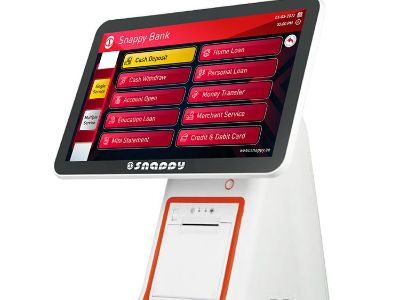
The Content Management System (CMS) is an important part of the handling of content in the multi-screen networks, especially in the digital signage system. The right choosing of CMS gives way not only to easier handling of content but also to the improving of the experience of the user. This is useful for teams trying to manage content across different devices and screens. A strong CMS can save time and keep the messaging clear on digital signage so the audience sees the right content at the right time. In this article, we will discuss the main considerations and the aspects of the Content Management System that work best for the multi-screen networks, which will be able to help the purchasing manager, distributors, and other professionals in their decisions about the buying.
What to Consider When Choosing CMS for Multi-Screen Networks?
When choosing a CMS for multi-screen networks, it is important to think about some aspects. First, the ability of the CMS to support different kinds of content, from videos to interactive elements. It should also have a user-friendly interface that lets non-technical users upload and manage content easily. A good CMS solution should work well for a Content Management System across various devices and fit the needs of digital signage teams, making it easier for staff to publish fast across many screens. Another important thing to think about is scalability. The CMS should be able to adjust to the growth of the business, so it is important that it can be upgraded or expanded easily as the need for screens and content gets bigger. In many cases, the CMS solutions need to be scalable, so the system can grow as the number of screens rises. Also, the compatibility of the CMS with the hardware and software used in the network should be considered.
How to Evaluate Content Management Systems for Digital Signage?
When evaluating Content Management Systems for digital signage, the following aspects should be looked at: A clear plan of checks helps buyers compare items and avoid errors during a project. Using common CMS solutions benchmarks makes it easier to compare speed, security and ease of use. Performance and Reliability: The CMS should be tested in actual operations to check its speed and stability. In real life, teams will run tests on a subset of screens to see how it handles peak traffic. Outages or delays in loading content can ruin the experience of the users. Security Features: It should be made sure that the digital kiosk touch screen CMS has enough security measures that protect the content and information of the user. The encryption of data and access controls are some of the main features that should be checked. Support and Documentation: Having enough technical support and detailed documentation is important so that issues during operation can be solved faster. It should be made sure that the supplier has a reliable support system. Integration Capabilities: Check how the CMS integrates with other systems or software used by your business. The ability to connect with other tools will help make the workflow easier.
Key Specifications to look for in Multi-Screen CMS Solutions
When choosing a Multi-Screen CMS, there are some key specifications that should be considered:
User Management: The ability to set up user roles and permissions is important to make sure that only the right people have access to the critical features of the CMS. Content Scheduling: The flexibility of scheduling lets users set specific times and dates for showing content, which is important for promotional campaigns. Real-time Monitoring: The ability to track the performance of the screens and content in real-time lets administrators see problems quickly and react right away. Analytics and Reporting: Having analytics tools will help in understanding the performance of the content and in optimizing future campaigns based on data-driven insights.
Choosing a CMS for digital display touch screen kiosk networks should take into account the quality control factors. It is important that the CMS goes through strict testing before it is launched. It should be made sure that the system is able to adjust to different situations, including different kinds of content and display setups. A simple CMS can still offer strong cases for use in digital signage and help IT teams stay on track with the work flow.
A good practice is asking for case studies or testimonials from existing users. This will actually help in assessing the reliability and performance of the CMS in actual application. Do not forget the certifications like ISO9001 and other quality management standards that the supplier may show.
Cost Considerations for Implementing Multi-CMS Solutions
The costs of implementing a Multi-Screen CMS include different aspects. First, the licensing fee of the CMS should be considered. Many CMS have different pricing models, from one-time payment to subscription-based models. Second, consider the costs of training and support, especially if the system is acyu9 new or complicated. Budgeting for a Content Management System project also helps keep digital signage goals on track and aligns with the needs of digital whiteboard screen networks. You should also think about the costs of the hardware needed to run multi-screen networks, because the compatibility of hardware and software is really important for a successful implementation. In the end, do not forget to check the total cost of ownership (TCO) which includes maintenance and eventual upgrades. A careful check of CMS solutions pricing will help managers plan for future growth across digital signage platforms. When choosing the right Content Management System for your multi-screen network, it is actually important to consider all of these aspects. By careful checking and the right information, you will be able to find a CMS that will not only meet your current needs but also the future growth of your business.